How Do I Add Custom Shipment Statuses?
Last updated: October 11, 2026
Click your user name (top-right corner)
2. Select "Settings", then open the "Fulfillment" tab
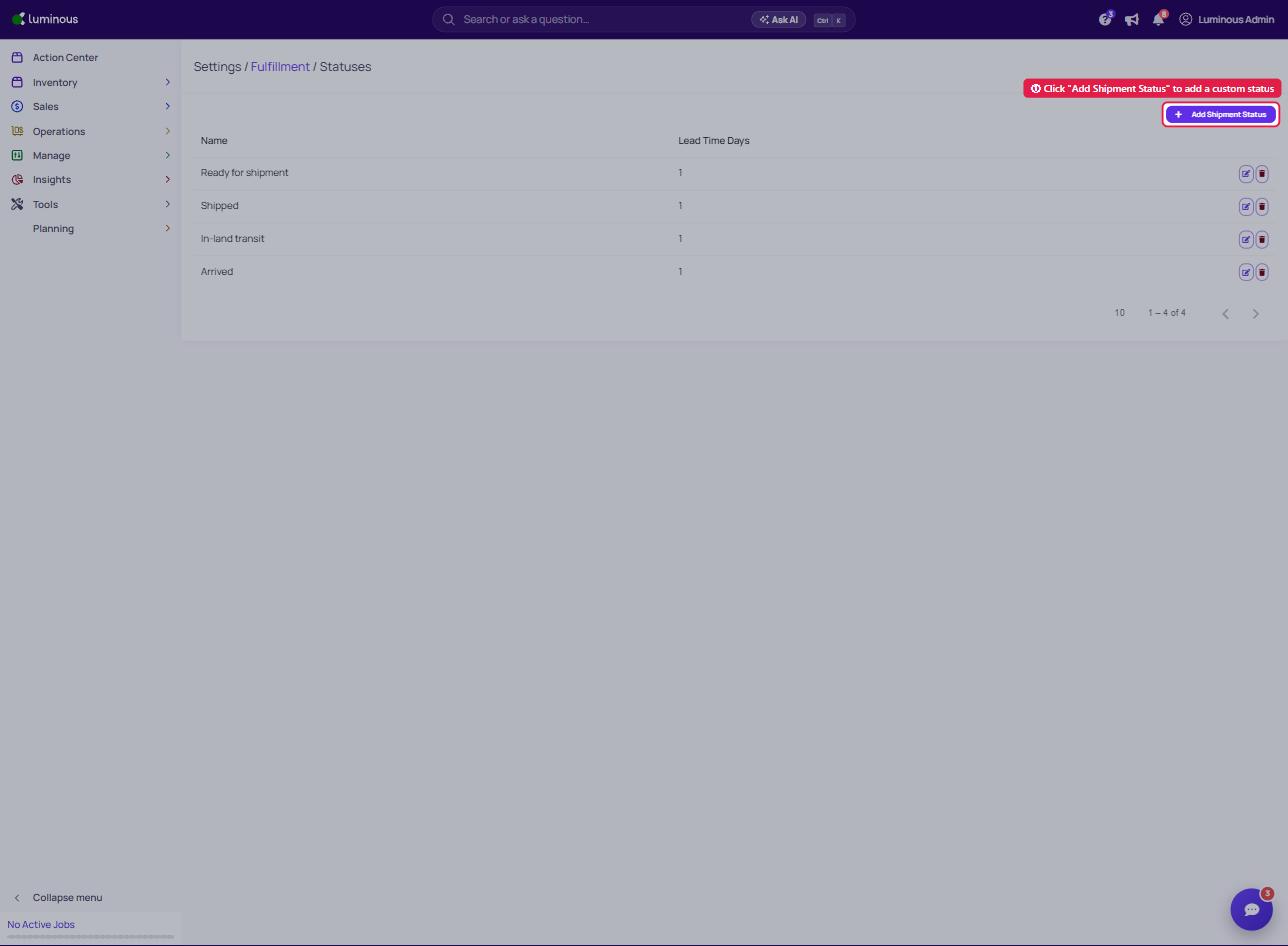
3. Click "Manage Fulfillment Statuses", then on the Statuses page click "Add Shipment Status" (or edit an existing one)
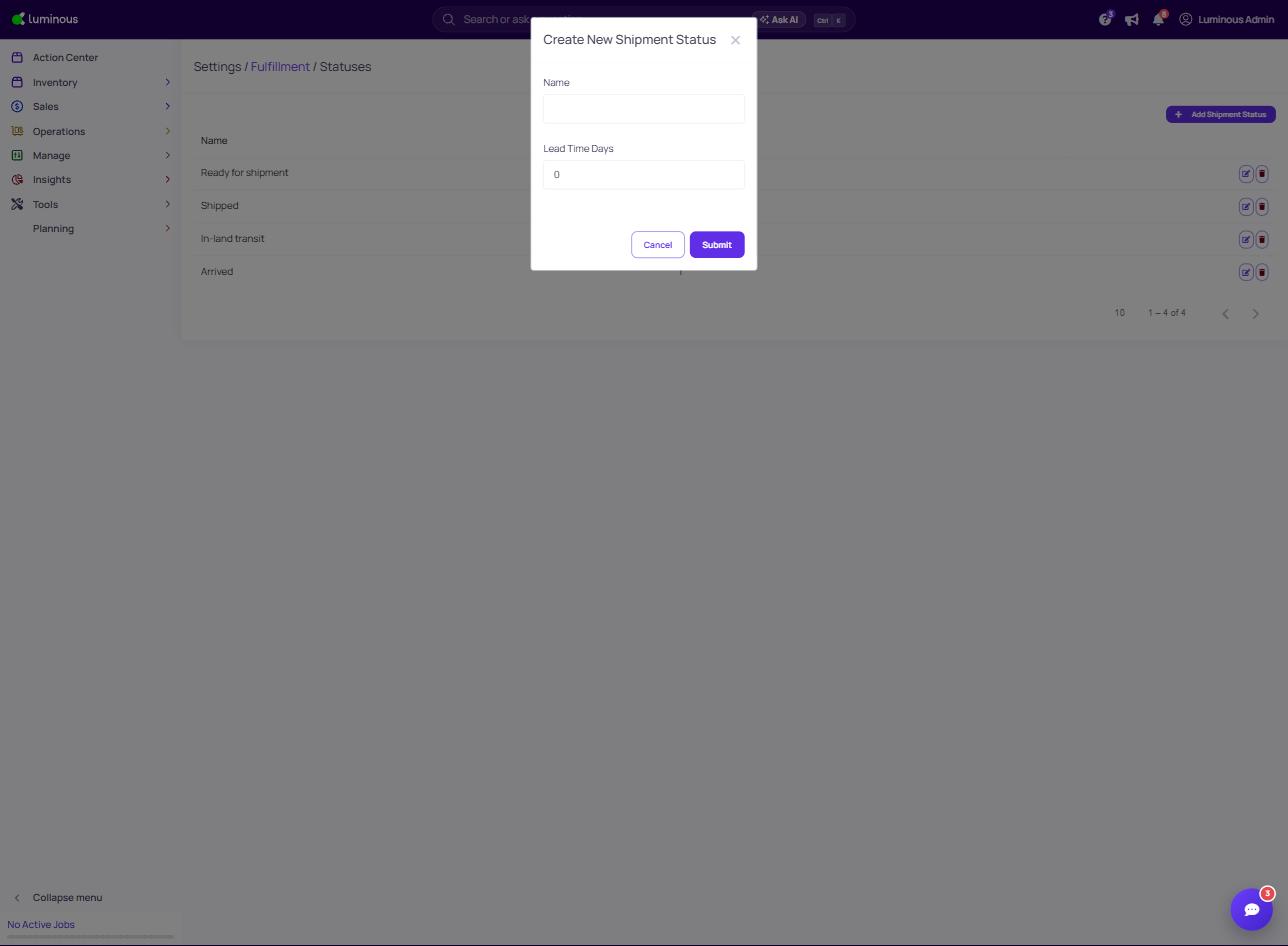
4. Add/Edit Accordingly
5. Click Submit to save