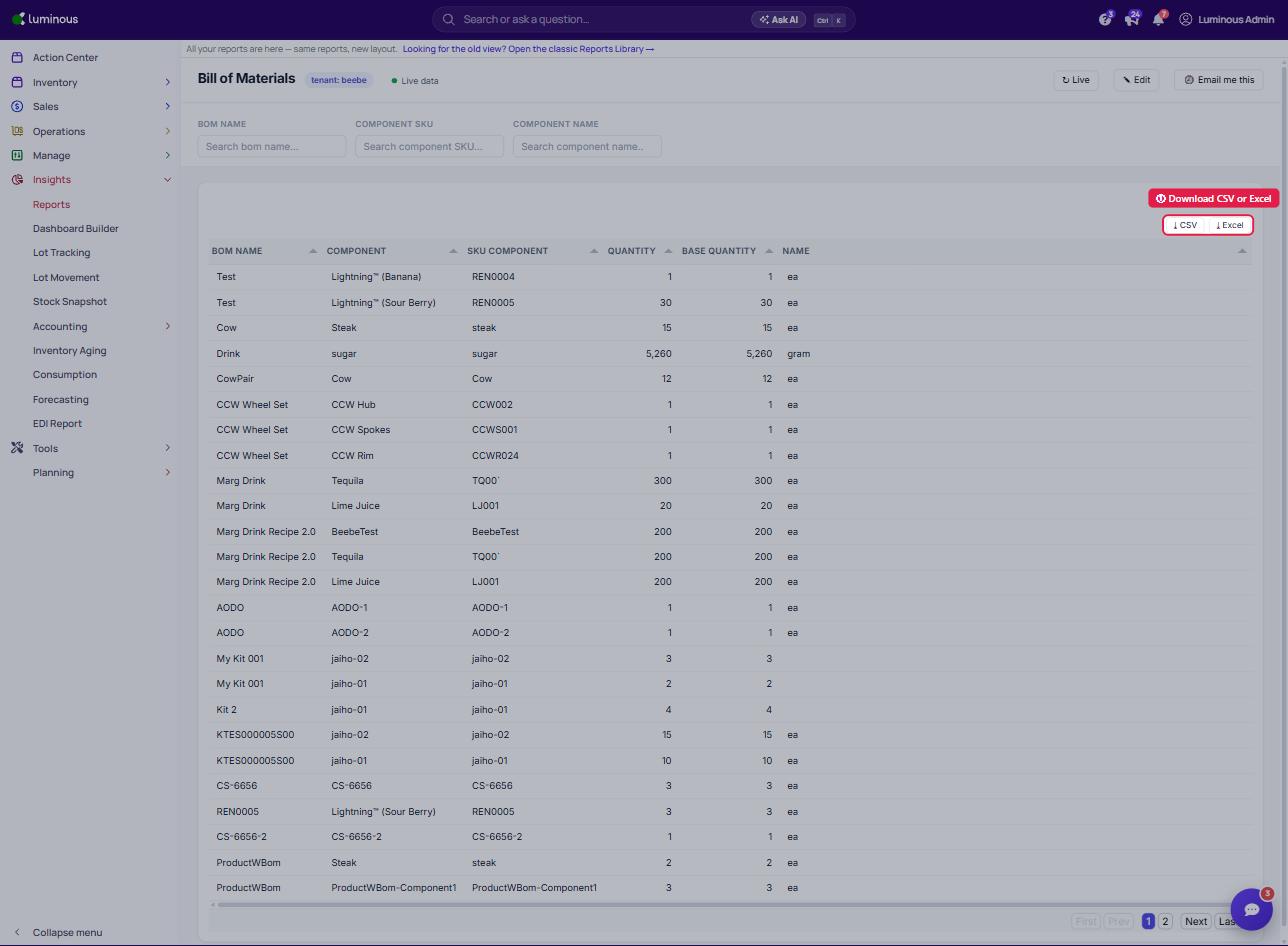
Export Bill of Materials Report
Last updated: October 2, 2026
1. Go to Reports.
In the left-hand menu, click Insights > Reports.
Search for and open the Bill of Materials report (under Financial).
The BOM table will display columns such as:
bom name– Name of the Bill of Materialscomponent– Component used in the BOMSKU Component– Internal SKU for the componentquantity– Quantity requiredName– Unit of MeasureBase Quantity– Total required quantity
2. Download the Report
In the top-right corner of the BOM table, click one of the download buttons:
Choose Your Download Format
Two options are available:
CSV
Excel (XLSX)